
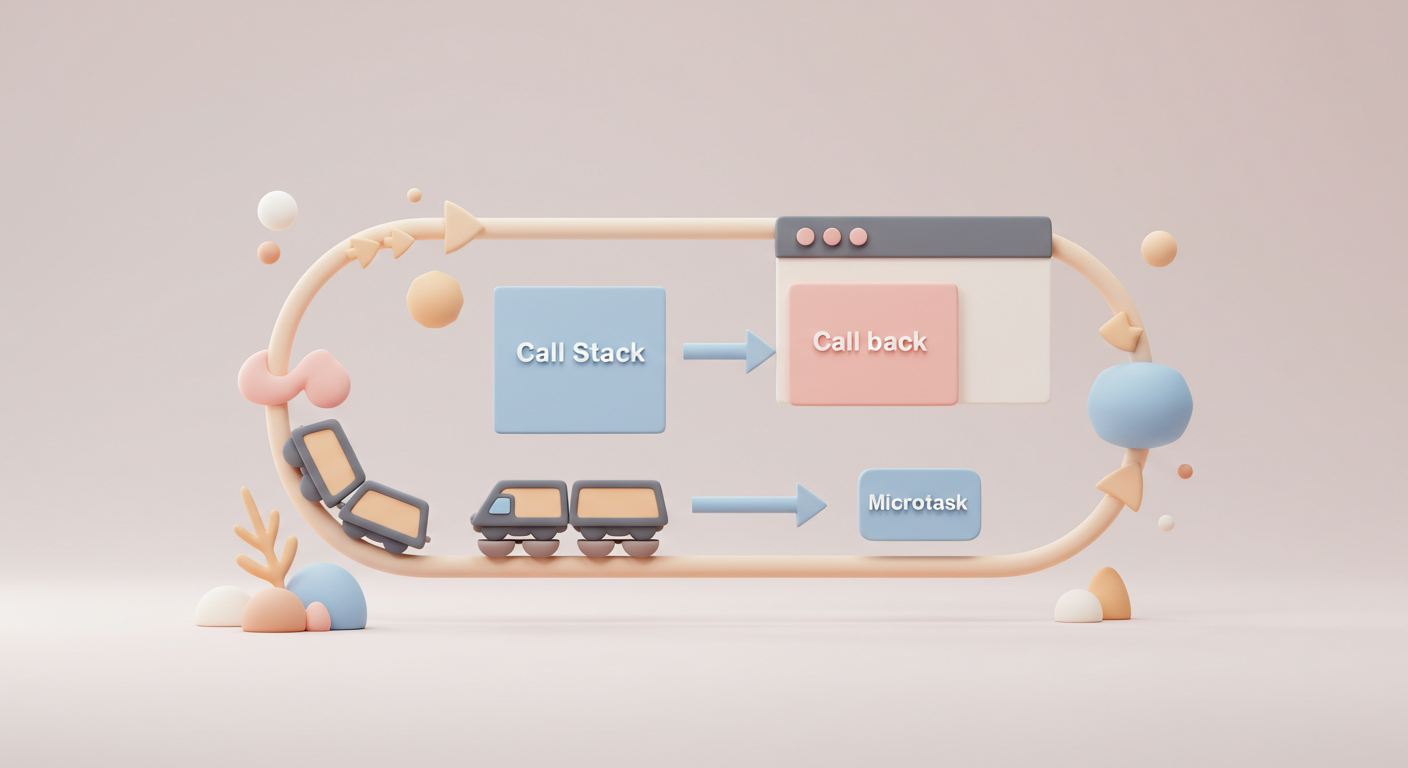
The Event Loop
The event loop is the backbone of JavaScript's concurrency model, enabling non-blocking I/O operations while maintaining a single-threaded execution context.
The Three-Tiered Execution Model
At its core, JavaScript's runtime operates on three fundamental components that work in harmony:
- Call Stack: The synchronous execution context where function calls are stacked and processed in a last-in-first-out (LIFO) manner.
- Macrotask Queue: Handles scheduled operations like
setTimeout,setInterval, I/O operations, and UI rendering events. - Microtask Queue: A high-priority queue for
Promisecallbacks,queueMicrotask()callbacks, andMutationObservercallbacks.
The Event Loop's Execution Cycle
1. Execute all synchronous code until the call stack is empty
2. Process all microtasks in the queue until it's completely empty
3. Perform rendering operations (layout, paint) if needed
4. Execute one macrotask from the queue
5. Repeat the cycle
What makes microtasks particularly powerful is their execution timing—they run immediately after the current synchronous code completes, before the browser performs any rendering or processes other macrotasks. This behavior is crucial for maintaining UI consistency during complex operations and is the foundation for many modern web APIs and frameworks.
Consider a typical scenario in a modern web application:
// Update user profile and UI
document.getElementById("saveButton").addEventListener("click", async () => {
  // 1. Show loading state
  updateLoadingState(true);

  try {
    // 2. Save data asynchronously
    await saveUserData(userData);

    // 3. Update UI with success message
    showSuccessMessage("Profile updated!");

    // 4. Fetch and display updated data
    const updatedData = await fetchUserData();
    updateUI(updatedData);
  } catch (error) {
    // 5. Handle errors
    showErrorMessage("Update failed: " + error.message);
  } finally {
    // 6. Hide loading state
    updateLoadingState(false);
  }
});
In this example, understanding the event loop helps explain why the loading state updates immediately, how error handling works, and why certain UI updates might appear to be batched together. The microtask queue ensures that promise callbacks (.then(), .catch(), .finally()) execute in a predictable order, maintaining application state consistency.
queueMicrotask()
Introduced in modern browsers, queueMicrotask() provides developers with direct access to the microtask queue, offering fine-grained control over when code executes in the event loop. Unlike setTimeout() or requestAnimationFrame(), which schedule macrotasks, queueMicrotask() ensures your code runs after the current task completes but before the browser performs any rendering.
Atomic State Updates in Action
Consider a complex UI component that needs to update multiple related state variables:
class ThemeManager {
  constructor() {
    this.theme = {
      darkMode: false,
      contrast: "normal",
      fontSize: 16,
    };
    this.isRendering = false;
  }

  updateTheme(updates) {
    // 1. Update the theme state
    this.theme = { ...this.theme, ...updates };

    // 2. Schedule a single render for all pending changes
    if (!this.isRendering) {
      this.isRendering = true;

      queueMicrotask(() => {
        // 3. Perform the actual DOM updates
        this.applyThemeToDOM();
        this.isRendering = false;
      });
    }
  }

  applyThemeToDOM() {
    // Apply theme changes to the document
    document.documentElement.style.setProperty(
      "--background-color",
      this.theme.darkMode ? "#1a1a1a" : "#ffffff"
    );
  }
}

const themeManager = new ThemeManager();

themeManager.updateTheme({ darkMode: true });
themeManager.updateTheme({ contrast: "high" });
themeManager.updateTheme({ fontSize: 20 });

// ThemeManager will only perform one DOM update
Key Benefits of Microtask Batching
- Efficient Rendering: Multiple state changes within the same tick are batched into a single render pass, reducing layout thrashing and improving performance.
- Deterministic Execution: Microtasks execute in a predictable order, making it easier to reason about application state.
- Consistent UI State: By deferring DOM updates until all synchronous code completes, you avoid showing intermediate states to users.
- Improved Performance: Reduces the number of browser reflows and repaints, leading to smoother animations and interactions.
Practical Example: Form Submission
class FormController {
  constructor(formElement) {
    this.form = formElement;
    this.isSubmitting = false;
    this.setupEventListeners();
  }

  setupEventListeners() {
    this.form.addEventListener("submit", async (e) => {
      e.preventDefault();

      if (this.isSubmitting) return;
      this.setSubmitting(true);

      try {
        const formData = new FormData(this.form);
        const response = await fetch("/api/submit", {
          method: "POST",
          body: formData,
        });

        if (!response.ok) throw new Error("Submission failed");

        // Use microtask to ensure state updates before showing success
        queueMicrotask(() => {
          this.showSuccessMessage();
          this.resetForm();
        });
      } catch (error) {
        this.showError(error.message);
      } finally {
        this.setSubmitting(false);
      }
    });
  }

  setSubmitting(isSubmitting) {
    this.isSubmitting = isSubmitting;
    this.form
      .querySelector('button[type="submit"]')
      .toggleAttribute("disabled", isSubmitting);
  }
}
This example demonstrates how microtasks can be used to manage complex UI states during form submission, ensuring a smooth user experience even when dealing with asynchronous operations.
Microtasks and Promises: Understanding the Execution Order
The relationship between queueMicrotask() and Promises is fundamental to mastering JavaScript's asynchronous behavior. While they both use the microtask queue, understanding their precise interaction is crucial for writing predictable code.
Execution Order
console.log("Script start");

// Macrotask
setTimeout(() => console.log("setTimeout"), 0);

// Microtasks
queueMicrotask(() => {
  console.log("Microtask 1");
  // This will be queued but executed in the same microtask checkpoint
  queueMicrotask(() => console.log("Nested Microtask 1"));
});

// Promise that resolves immediately
Promise.resolve()
  .then(() => {
    console.log("Promise 1");
    // This creates another microtask
    queueMicrotask(() => console.log("Nested Microtask 2"));
  })
  .then(() => {
    console.log("Promise 2");
  });

queueMicrotask(() => console.log("Microtask 2"));

console.log("Script end");

/* Output:
Script start
Script end
Microtask 1
Promise 1
Microtask 2
Nested Microtask 1
Promise 2
Nested Microtask 2
setTimeout
*/
Key Insights:
-
Unified Microtask Queue: Both use the same microtask queue, maintaining a strict FIFO (First-In-First-Out) order.
-
Microtask Checkpoint: The microtask queue is processed completely before the next macrotask or render cycle.
-
Promise Chaining: Each
.then()creates a new microtask. When a promise resolves, its callbacks are queued in the microtask queue.
Practical Implications
Understanding this behavior is crucial when:
- Implementing Custom Schedulers: Building your own async utilities or state management systems.
- Testing: Writing reliable tests for asynchronous code.
// Example: Implementing a simple scheduler
class Scheduler {
  constructor() {
    this.queue = [];
    this.isProcessing = false;
  }

  addTask(task) {
    this.queue.push(task);
    if (!this.isProcessing) {
      this.processQueue();
    }
  }

  async processQueue() {
    this.isProcessing = true;

    while (this.queue.length > 0) {
      const task = this.queue.shift();

      // Wrap each task in a microtask for consistent timing
      await new Promise((resolve) => {
        queueMicrotask(async () => {
          try {
            await task();
          } catch (error) {
            console.error("Task failed:", error);
          }
          resolve();
        });
      });
    }

    this.isProcessing = false;
  }
}

// Usage
const scheduler = new Scheduler();
scheduler.addTask(() => console.log("Task 1"));
scheduler.addTask(
  () =>
    new Promise((resolve) => {
      console.log("Task 2 - Start");
      setTimeout(() => {
        console.log("Task 2 - Complete");
        resolve();
      }, 1000);
    })
);
Common Pitfalls to Avoid
-
Microtask Recursion:
// ❌ Dangerous: Infinite microtask loop function infiniteMicrotask() { queueMicrotask(infiniteMicrotask); } -
Mixing Microtasks and Macrotasks:
// 🤔 Potentially confusing execution order console.log("Start"); setTimeout(() => console.log("Macrotask")); Promise.resolve().then(() => { console.log("Microtask 1"); queueMicrotask(() => console.log("Nested Microtask")); }); queueMicrotask(() => console.log("Microtask 2")); console.log("End"); /* Output: Start End Microtask 1 Microtask 2 Nested Microtask Macrotask */ -
Blocking the Event Loop:
// ⚠️ Blocks the main thread
function blockingOperation() {
  const end = Date.now() + 5000; // Block for 5 seconds
  while (Date.now() < end) {}
  queueMicrotask(() => console.log("This will be delayed"));
}
Taking note of these will help you write more predictable and performant asynchronous JavaScript code.
Comparing with Go's defer
Go's Defer
// Go
func processFile() {
  file := open("data.txt")
  defer file.Close() // Executes when function returns
  parse(file)
}
JavaScript's Microtask
// Update user profile and UI
document.getElementById("saveButton").addEventListener("click", async () => {
  // 1. Show loading state
  updateLoadingState(true);

  try {
    // 2. Save data asynchronously
    await saveUserData(userData);

    // 3. Update UI with success message
    showSuccessMessage("Profile updated!");

    // 4. Fetch and display updated data
    const updatedData = await fetchUserData();
    updateUI(updatedData);
  } catch (error) {
    // 5. Handle errors
    showErrorMessage("Update failed: " + error.message);
  } finally {
    // 6. Hide loading state
    updateLoadingState(false);
  }
});
```0

### Key Differences:

| Feature               | JavaScript Microtasks    | Go's `defer`          |
| --------------------- | ------------------------ | --------------------- |
| **Execution Trigger** | When call stack is empty | When function returns |
| **Processing Order**  | FIFO (queue)             | LIFO (stack)          |
| **Asynchronous**      | Yes                      | No                    |
| **Primary Use Case**  | Batched UI updates       | Resource cleanup      |

### Debugging Microtask Issues

Chrome DevTools provides excellent support for debugging microtask-related issues:

1. **Performance Tab**: Record a performance profile to identify microtask-related performance bottlenecks.
2. **Console API**: Use `console.trace()` within microtasks to understand their call hierarchy.
3. **Breakpoints**: Set breakpoints in microtasks to inspect the call stack and closure variables.

### Recommended Use Cases

#### 1. UI State Batching and Consistency

#### 2. High-Priority Operations

#### 3. DOM Synchronization with `MutationObserver`

#### 4. Performance Optimization: Preventing Layout Thrashing

### When to Avoid Microtasks

#### 1. CPU-Intensive Tasks

#### 2. Deeply Recursive Operations

#### 3. Time-Critical Operations

## Further Reading

### Core Specifications and Documentation

- [WHATWG HTML Living Standard: Event Loops](https://html.spec.whatwg.org/multipage/webappapis.html#event-loops) - The definitive specification for how event loops work in browsers
- [MDN: queueMicrotask()](https://developer.mozilla.org/en-US/docs/Web/API/queueMicrotask) - Comprehensive documentation and examples
- [ECMAScript® 2024 Language Specification: Jobs and Job Queues](https://tc39.es/ecma262/#sec-jobs-and-job-queues) - The JavaScript standard's take on job queues

### In-Depth Articles

- [Tasks, microtasks, queues and schedules](https://jakearchibald.com/2015/tasks-microtasks-queues-and-schedules/) by Jake Archibald - A classic explanation with interactive examples
- [The JavaScript Event Loop: Explained](https://blog.sessionstack.com/how-javascript-works-event-loop-and-the-rise-of-async-programming-5-ways-to-better-coding-with-2f077c4438b5) - Detailed look at the event loop mechanics
- [When to Use queueMicrotask() vs requestIdleCallback()](https://web.dev/optimize-long-tasks/) - Performance optimization guide

### Browser Implementation Details

- [Chromium's Microtask Implementation](https://chromium.googlesource.com/chromium/src/+/main/docs/microtasks.md) - How Chrome handles microtasks
- [Firefox's Event Loop Processing Model](https://firefox-source-docs.mozilla.org/dom/event_loop_processing_model.html) - Firefox's approach to event loop processing
- [WebKit's Event Loop Design](https://trac.webkit.org/wiki/WebKitEventLoop) - WebKit's event loop architecture

### Advanced Topics

- [The Microtask Queue in Depth](https://www.ecma-international.org/ecma-262/10.0/index.html#sec-jobs-and-job-queues) - Technical deep dive from the ECMAScript spec
- [Microtasks and the Browser Rendering Pipeline](https://developers.google.com/web/fundamentals/performance/rendering) - How microtasks interact with rendering
- [Optimizing JavaScript for the Main Thread](https://web.dev/optimizing-content-efficiency-javascript/) - Performance optimization strategies

### Real-World Applications

- [React's Concurrent Mode and Scheduling](https://reactjs.org/docs/concurrent-mode-intro.html) - How React uses scheduling for better performance
- [Vue.js Reactivity in Depth](https://vuejs.org/guide/extras/reactivity-in-depth.html) - Vue's reactivity system and microtasks
- [Angular's Change Detection](https://angular.io/guide/change-detection) - How Angular leverages zones and change detection

### Final Thoughts

By following the best practices outlined in this article and being mindful of potential pitfalls, you can leverage microtasks to create smoother, more responsive web applications that provide an excellent user experience.

#### Always consider the right tool for the job

Remember that while microtasks are a powerful feature, they're just one part of the larger JavaScript concurrency model. Always consider the broader context of your application and choose the right tool for the job, whether that's microtasks, `requestAnimationFrame`, `requestIdleCallback`, or Web Workers.

#### Bye for now

Happy coding, and please share your thoughts in the comments.